Skip to content

Features · Berths & booking · 03

Booking.
Booked. Registered. Paid.

The berth is chosen to fit the boat. The system shows which berths fit – and what is still to be paid.

Screenshot from GoHavn: Booking
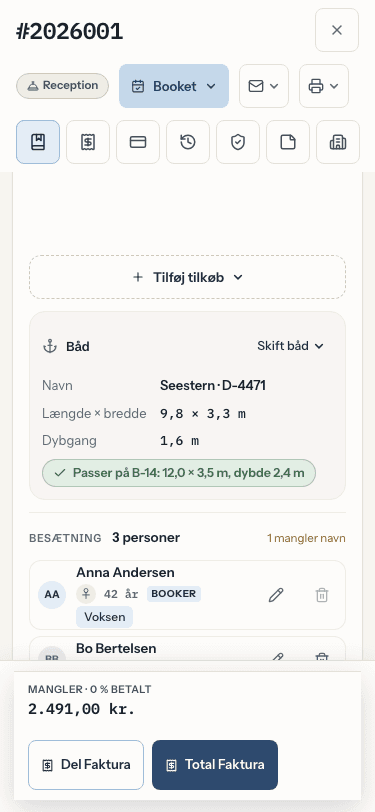
Booking on a phone
How it works

Marina booking software – from visiting sailor to group

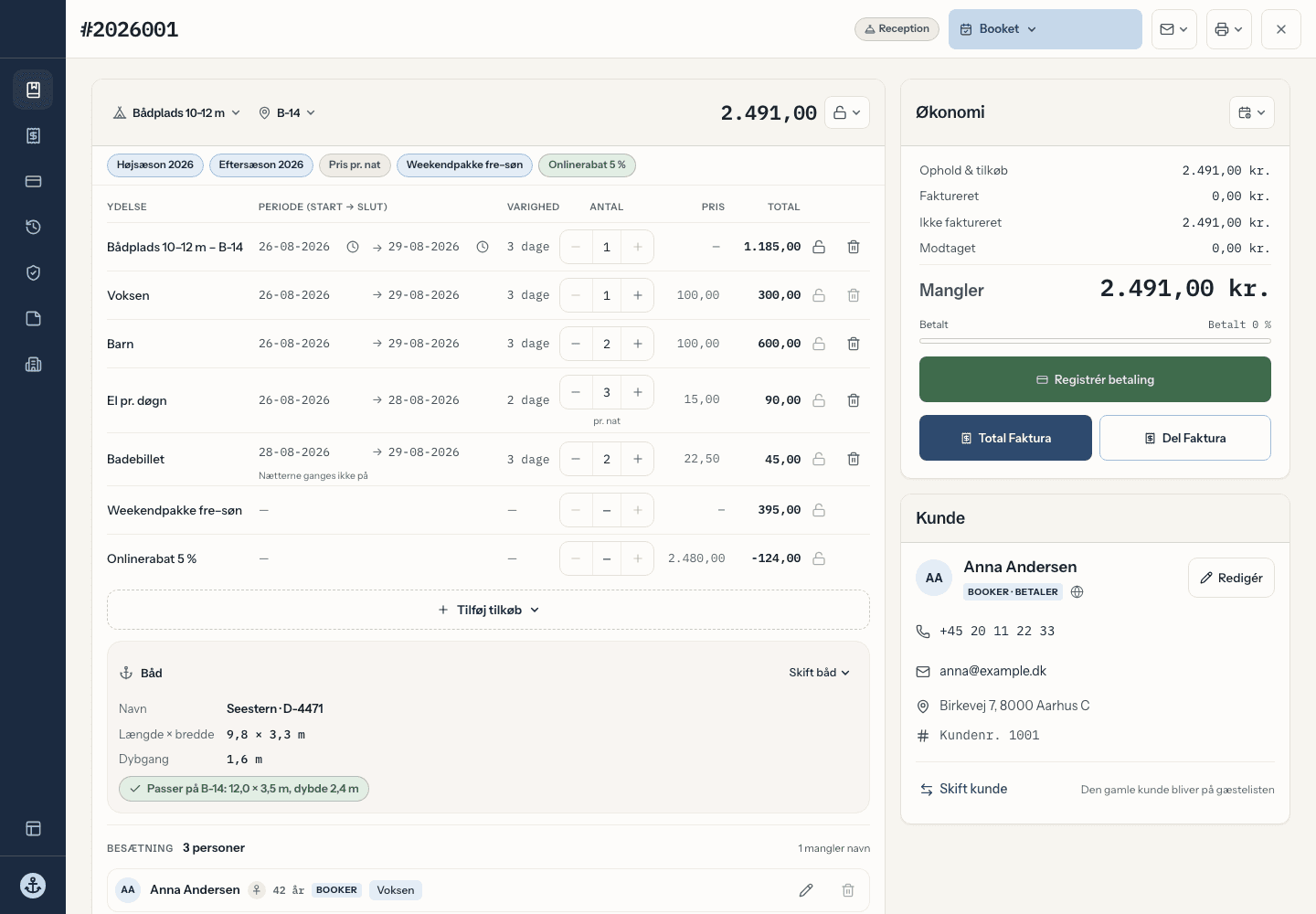
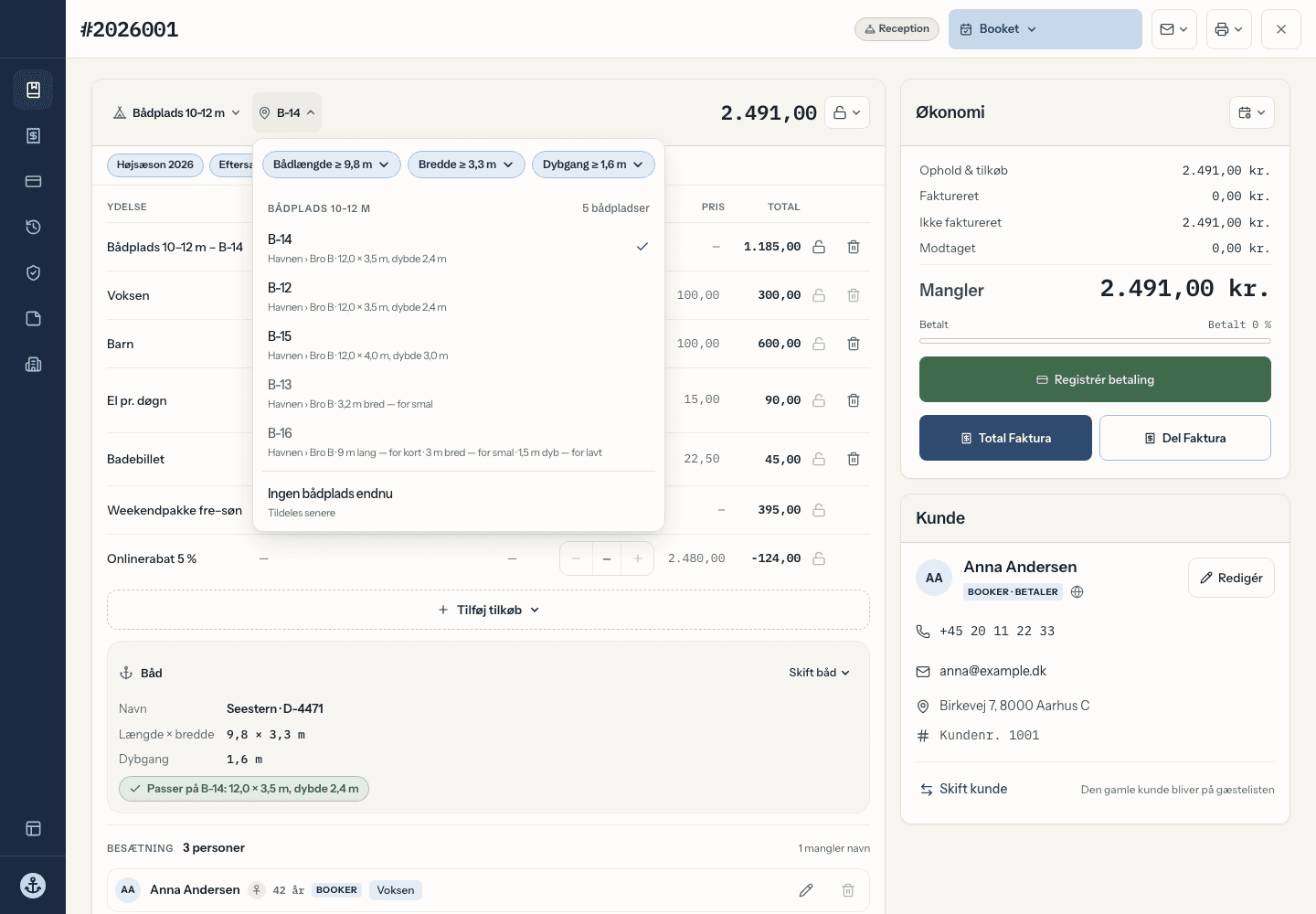
With GoHavn, the harbour office books berths based on the boat’s size. When you choose a berth, the system checks length, beam and draught and says “Fits B-14” – or tells you why the boat is too big. So the boat ends up on the right berth the first time.

The booking keeps everything in one window: the stay, the sailor, the boat, extras, invoice and payment. Visiting sailors can also book and pay online, and several boats can be grouped on one group booking.

01

The berth is chosen to fit the boat

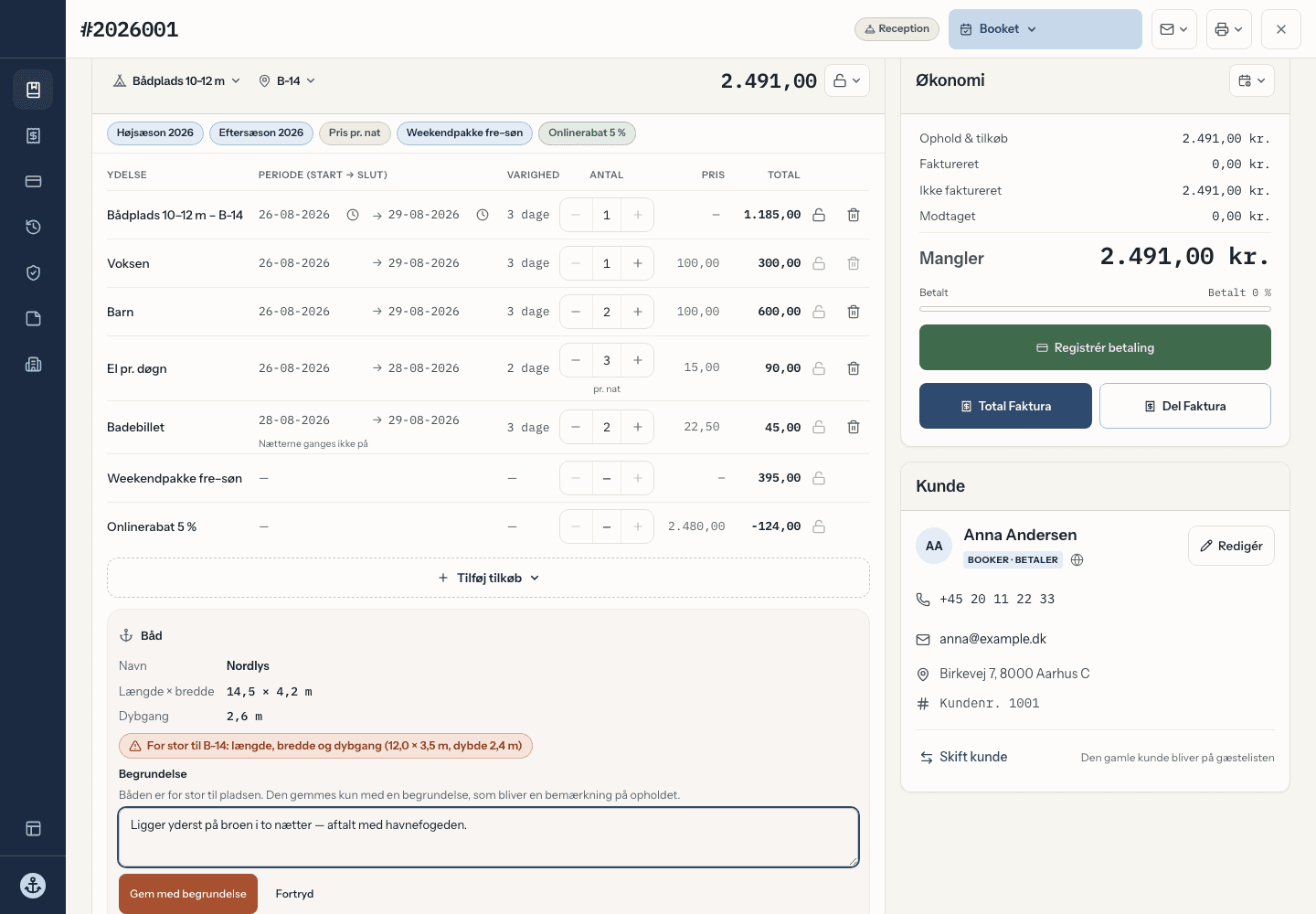
Enter the boat’s size and see which berths fit. The harbour decides how much margin there should be. If the boat is too big, the booking can only be saved with a reason, which stays on the booking afterwards.

  • Checks length, beam and draught
  • Margin by the harbour’s own rules
  • A reason when a boat is too big
Screenshot from GoHavn: Booking – The berth is chosen to fit the boat
02

Invoice and payment in the same window

In the booking you can see what has been invoiced, what has been paid and what is outstanding. Send an invoice, a partial invoice or a payment link, and let the system send reminders when a payment is late.

  • Invoice, partial invoice and credit note
  • Payment link for the sailor
  • Automatic reminders
  • Export to your accounts
Screenshot from GoHavn: Booking – Invoice and payment in the same window

More in Booking

Every kind of booking

Book a single visiting sailor, a whole group of boats on one booking, or a stay with a package that sets arrival and departure itself. Special prices, extras and discount codes are added automatically.

  • Group booking for several boats
  • Packages with fixed dates
  • Special prices and discount codes
  • Extras such as power, water and showers

Online booking for visiting sailors

Visiting sailors can find a free berth, book and pay online by card, Apple Pay or Google Pay. Bookings from booking sites come in through channels, so everything is in the same calendar.

  • Online booking and payment
  • Card, Apple Pay and Google Pay
  • Bookings from booking sites via channels
  • Gift cards as payment

Till, gift cards and power

Sell at the till in the harbour office, sell gift cards, and settle power and water through our integration with Betally, so usage lands on the right berth.

  • Till with receipts and end-of-day close
  • Gift cards that can be used online
  • Power and water via the integration with Betally

What you get

  • Checks the boat’s size against the berth
  • Group booking for several boats
  • Packages, special prices and discount codes
  • Extras on the booking
  • Invoice, partial invoice and payment link
  • Automatic reminders
  • Online booking and payment
  • Till and gift cards
Questions

Questions about Booking

Can visiting sailors book and pay online?

Yes. Sailors can book a free berth and pay online by card, Apple Pay or Google Pay. The booking lands straight in the calendar.

Can we make group bookings?

Yes. Several boats can be grouped on one booking, e.g. when a sailing club or a flotilla comes to visit. That gives you one overview and one invoice.

How do sailors pay?

Online by card, Apple Pay or Google Pay, at the till in the harbour office, or by invoice and payment link. You can always see what has been paid and what is outstanding.

What happens if the boat is too big for the berth?

The system tells you why, e.g. that the boat is too wide. If you want to book anyway, you have to enter a reason, which is saved on the booking.